Key Takeaways
- A strong product launch presentation tells a simple, clear story about the problem, the solution, and why the product matters.
- The deck should include essentials like the problem, solution, target audience, features, pricing, validation, and a clear call to action.
- Crafting the presentation becomes easier when you identify your audience, build a narrative, show visuals, and use data or testimonials to support your message.
- Tools like SlidesAI, Google Slides, PowerPoint, Prezent AI, and Canva help streamline design and keep branding consistent.
- Every industry needs a slightly different approach, but the goal stays the same: make the product easy to understand and motivate people to take the next step.
Launching a product is exciting, but sharing it clearly with an audience can be tricky. A good new product launch presentation explains your product simply, shows its value, and encourages people to take action. Whether it’s a new feature or an entirely new product, a strong deck turns interest into momentum.
What Is a Product Launch Presentation?
A product launch presentation is a structured walkthrough of your product, usually aimed at investors, customers, or internal teams. Instead of just listing features, it shows the problem, your solution, and why it matters. Think of it as telling a story that helps people see the product’s value clearly.
What Does a Product Launch Presentation Aim to Achieve?
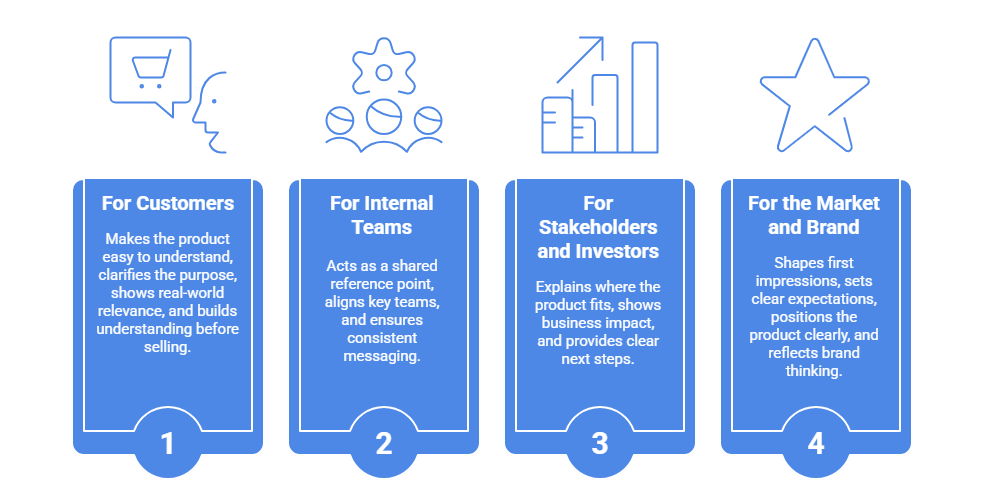
The objective is straightforward: explain your product to your audience, demonstrate how it addresses an issue, and highlight its unique selling points. It shows promise for investors and explains the benefits to customers. New product launch presentations make everyone’s vision clearer in the following ways:
For Customers:
- Makes the Product Easy to Understand – Clearly explains what the product does in a simple, effortless way.
- Clarifies the Purpose Behind the Product – Shows why the product exists by focusing on the problem it solves.
- Shows Real-World Relevance – Explains how the product fits into real-life use.
- Builds Understanding Before Selling – Helps the solution feel natural by explaining the problem first.
For Internal Teams:
- Acts as a Shared Reference Point – Gives all teams one clear source of information.
- Aligns Key Teams – Keeps sales, marketing, and product teams on the same page.
- Ensures Consistent Messaging – Helps everyone communicate the same story, timing, and priorities.
For Stakeholders and Investors:
- Explains Where the Product Fits – Helps decision-makers understand the product’s role and relevance.
- Shows Business Impact – Clarifies how the product supports overall business goals.
- Provides Clear Next Steps – Outlines what happens next, building confidence through direction rather than design.
For the Market and Brand:
- Shapes First Impressions – Creates the initial perception of the product.
- Sets Clear Expectations – Defines what the audience should expect from the product.
- Positions the Product Clearly – Shows where the product stands in the market.
- Reflects Brand Thinking – Communicates how the brand thinks, not just what it sells.
Whether it’s purchasing, investing, or supporting the launch, a strong presentation inspires people to take action.
What to Include in a Product Launch Presentation?
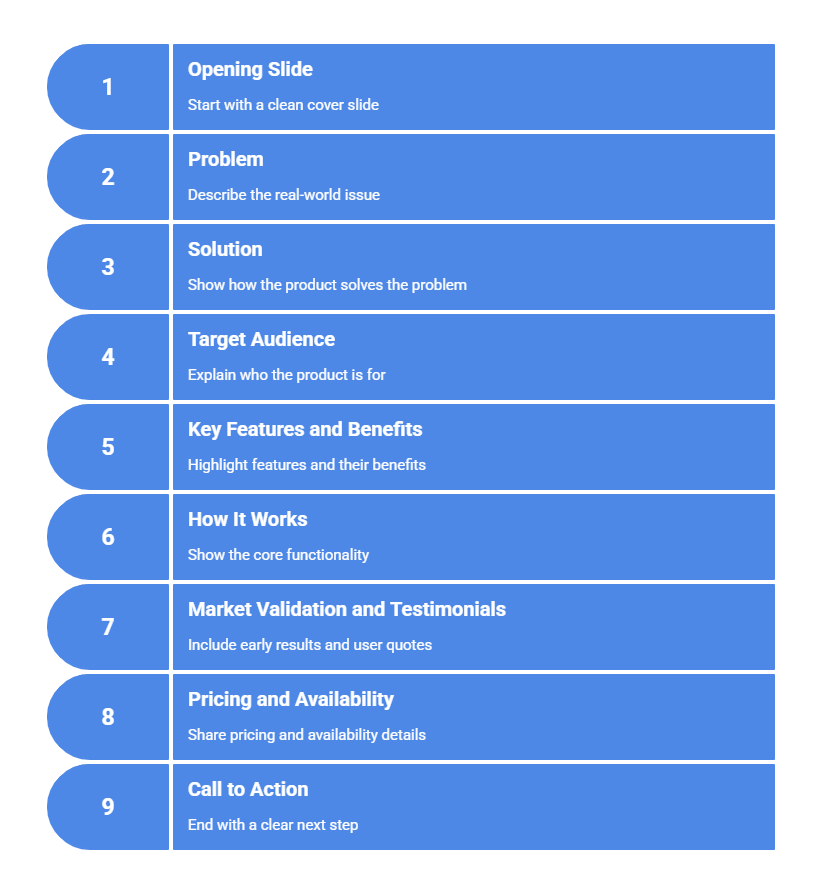
Knowing what belongs in your deck makes building it easier. Here’s what to cover:
- Opening Slide: Start with a clean cover slide. Include the product name, a tagline, and branding. Keep it simple and professional.
- Problem: Describe the real-world issue your product addresses. Make it relatable. A clear problem statement sets up the solution.
- Solution: Show how your product solves the problem. Focus on benefits like saving time, cutting costs, or making life easier. Keep it simple and user-focused.
- Target Audience: Explain who the product is for. Clarifying the audience shows where it fits and why it matters.
- Key Features and Benefits: Highlight features, but tie each to a tangible benefit. People remember how it helps them more than technical specs.
- How It Works: Show the core functionality. Use visuals or brief explanations so your audience can picture it in action.
- Market Validation and Testimonials: Include early results, pilot feedback, or user quotes. This builds credibility and trust.
- Pricing and Availability: Share pricing, launch offers, or availability dates. Make it clear when and how people can access it.
- A Strong Call to Action: End with a clear next step. Invite the audience to book a demo, sign up, or learn more.
How to Make a Product Launch Presentation?
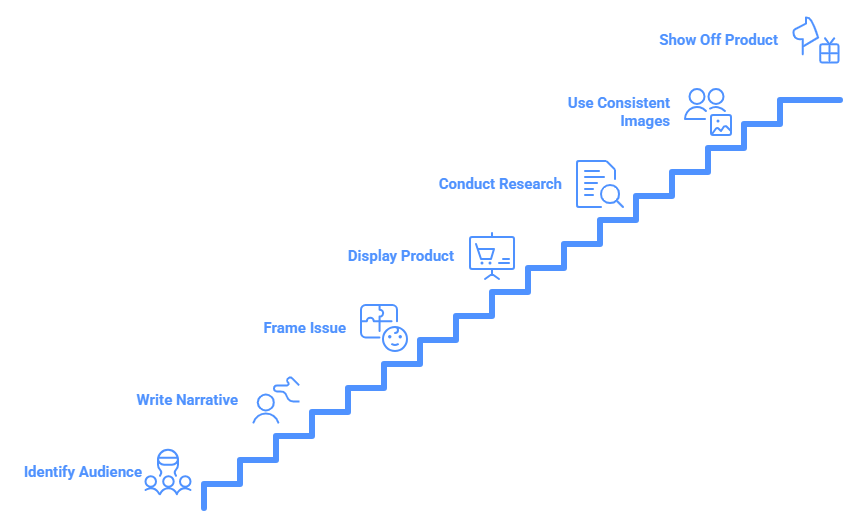
To create a successful and captivating deck, follow these steps:
-
Identify Your Audience and Goals
Understand who you are speaking to and what you hope to accomplish. This directs depth, tone, and images.
-
Write a Narrative
Organize your presentation like a narrative. Describe the issue, the process, and the solution naturally.
-
Start by Framing the Issue
Take the lead by posing a challenge. The remedy works better when people are aware of the suffering.
-
Display Your Product
Add pictures, prototypes, or brief demonstrations. Concepts are easier to understand when presented visually.
-
Conduct Research
Use facts, user interviews, or market insights to bolster your arguments. Credibility is essential.
-
Make Use of Consistent Images
Select charts and pictures that are consistent with your brand. Clear design is beneficial.
-
Show Off the Product
Display actual situations or use cases. Allow visitors to observe how it operates.
-
Include Testimonials and Stories
People remember real stories. Add quotes or early user comments.
-
Current Marketing Strategies
Demonstrate how you plan to market the product. This provides teams and investors with context.
-
Maintain Your Brand
Make sure your messaging, fonts, and colors are all consistent. Professionalism is reinforced with a polished deck.
-
Work on Your Delivery
Practice the timing, flow, and transitions. Confidence has a significant impact.
-
Day of Launch
Remain composed and concentrated. Maintain your narrative while showcasing your preparation.
Also read: How to Structure a Presentation?
Best Tools to Create a New Product Launch Presentation
A good tool makes it easier to design, structure, and refine your presentation. Here are some great options.
-
SlidesAI
SlidesAI offers an AI-powered new product launch presentation template that turns your text into polished slides instantly. It simplifies the creation process for product teams who want a clean, professional deck without spending hours designing.
-
Google Slides
Google Slides is a simple, cloud-based tool that is great for collaboration. Teams can edit together, use themes, and access add-ons for charts, diagrams, and visuals.
-
PowerPoint
It’s a familiar and powerful option with advanced formatting, animations, and smart design suggestions. PowerPoint is also ideal for detailed presentations with data-heavy content.
-
Prezent AI
Prezent AI is built for business storytelling. It helps teams create structured, on-brand product launch decks with narrative frameworks and easy visualization options.
-
Canva
It’s a versatile tool with ready-made templates, drag-and-drop design, and strong visual elements. Canva is great for product teams that want a creative presentation style.
Read related: How to Make a PowerPoint Presentation Using AI
Tips for Product Launch Presentations in Various Industries
You would want to modify your launch deck according to the category of your product. Here’s how to create a product launch presentation for different sectors with different approaches:
SaaS Product Launch
Focus: Practical functionality, business value, growth readiness, and early usage signals
Tips:
- Walk the audience through live workflows or clickable demos so they understand how the product actually works.
- Emphasize integrations, APIs, or technical strengths that reduce friction and support scaling.
- Present simple metrics that reflect adoption, efficiency, or early performance trends.
- Include short insights or quotes from pilot users to show real-world validation.
Healthcare & Pharma
Focus: Regulatory readiness, patient safety, measurable outcomes, and reliability
Tips:
- Share summarized findings from trials, studies, or internal research to support credibility.
- Clearly call out certifications, approvals, or compliance standards the product adheres to.
- Use brief real-life scenarios showing how patients or providers benefit.
- Keep communication centered on care quality and patient well-being, not just features.
Consumer Goods & FMCG
Focus: Consumer relevance, emotional pull, and brand differentiation
Tips:
- Showcase packaging, design, and shelf presence with strong, clean visuals.
- Frame the story around everyday consumer needs and moments.
- Highlight material quality, sustainability efforts, or ethical practices where applicable.
- Reinforce trust using creator mentions, customer reviews, or social validation.
Finance & Fintech
Focus: Security, transparency, financial impact, and trust
Tips:
- Explain value through savings, returns, or efficiency gains using relatable examples.
- Highlight adherence to financial regulations and data protection standards.
- Break down complex processes using straightforward charts and visuals.
- Support claims with realistic use cases that show the product in action.
Education & E-Learning
Focus: Learning effectiveness, engagement levels, and ease of access
Tips:
- Present outcome-based data such as improvement rates, usage trends, or engagement metrics.
- Demonstrate interactive elements that keep learners involved and motivated.
- Show reporting or analytics features that track progress and performance.
- Add feedback from teachers, institutions, or learners to reinforce impact.
Automotive & Mobility
Focus: Advanced technology, safety standards, performance benchmarks
Tips:
- Use visuals, simulations, or 3D renders to explain design and functionality.
- Highlight safety testing results, efficiency data, or performance ratings.
- Emphasize environmental benefits, especially for electric or hybrid solutions.
- Use side-by-side comparisons to clearly show competitive advantages.
Fashion & Luxury
Focus: Brand story, aspiration, craftsmanship, and exclusivity
Tips:
- Use polished visuals that communicate lifestyle and emotion.
- Highlight materials, design process, and attention to detail.
- Reference collaborations or endorsements that elevate brand perception.
- Keep messaging minimal, elegant, and aligned with brand identity.
Food & Beverage
Focus: Taste appeal, ingredient quality, freshness, and health
Tips:
- Use mouth-watering imagery to immediately capture interest.
- Clearly explain ingredient sourcing, nutritional benefits, or preparation methods.
- Include short consumer reactions or tasting feedback.
- Emphasize freshness, balance, and overall product quality.
B2B Products & Services
Focus: Business outcomes, efficiency gains, and operational improvement
Tips:
- Present concise case examples showing measurable business impact.
- Highlight how the product improves workflows, automation, or cost control.
- Use simple timelines to explain rollout and adoption.
- Address practical concerns like system integration, onboarding, and ongoing support early.
<SlidesAICTA3 />
A new product launch presentation is more than a slideshow. It tells a story, shows value, and motivates action. With clear structure, visuals, and real examples, you can make people care about your product. Moreover, tools like SlidesAI make creating a deck faster, letting you focus on the message instead of formatting.
Frequently Asked Questions (FAQs)
1. What is the ideal duration for a product presentation?
The main pitch should last 10 to 15 minutes, or ideally 10 to 12 slides. Allow extra time for inquiries or demonstrations.
2. How should a product that is still under development be presented?
Pay attention to prototypes, use cases, and vision. To illustrate the experience, go through concept videos, mockups, or user flows.
3. Should my product presentation contain pricing?
Yes. You must include pricing at the conclusion if you are giving a presentation to buyers or customers at a function or product launch.
4. Does the product launch deck need to include a video?
No, however, a little film can demonstrate user reactions or explain a physical function.
6. How should a new product launch presentation conclude?
Finish with a compelling call to action (CTA), like “Invest Today,” “Sign Up for a Demo,” or “Buy Now.” Clearly state what the audience is expected to do next.
Related Posts
-

Presentation aids are tools that speakers use alongside their words and delivery to help get…
-
Turning a dense thesis into an engaging presentation may feel overwhelming, but it doesn’t have…
-

SlidesAI is a Google Workspace Add-on (think of it like a Chrome Extension but only…
-

Presentations are a big part of student life, whether you’re in school, college, or stepping…
-

Coming up with an exciting presentation topic isn’t always easy. Whether you’re a student trying…