You’ve spent hours researching your topic, building slides, and preparing what you want to say. But before your audience sees any of that, they see one thing first: your presentation title. A good title can grab attention and create interest, while a weak one can make even a great presentation feel forgettable. In this blog, we’ll look at why presentation titles matter, different title styles you can use, practical ways to write stronger titles, and formulas that make the process easier.
Why Do You Need to Write a Catchy Presentation Title?
Think about how people choose what to watch, read, or click on every day. The title plays a huge role in that decision.
The same applies to presentations.
If you’re speaking at an event where attendance is optional, your title may be the deciding factor in whether people choose to attend your session or skip it. Even if your presentation contains valuable insights, your audience won’t discover them if the title fails to attract their attention.
A strong title creates curiosity. It gives people a reason to learn more.
Even in workplace settings where attendance is required, presentation titles still matter. Employees may not have a choice about attending, but the title helps shape their expectations before the session begins.
Compare these two examples:
“Quarterly Sales Review”
vs.
“What’s Driving Our Biggest Sales Wins This Quarter?”
The second title immediately feels more engaging. It suggests there is a story, insight, or lesson waiting inside.
A catchy presentation title helps create anticipation instead of indifference. It encourages your audience to pay attention before the presentation even starts.
Different Types of Presentation Title Styles
There is no single formula that works for every presentation. Different situations call for different approaches.
Here are some common title styles you can use.
1. Surprise
Surprise-based titles challenge assumptions or present something unexpected.
These titles work well because people naturally want to understand something that seems unusual or surprising.
Examples:
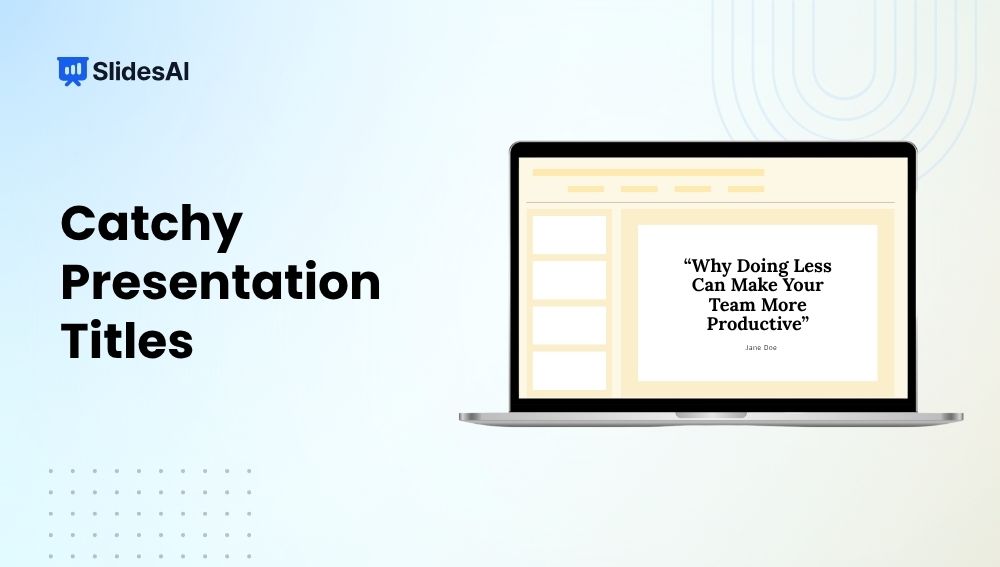
- Why Doing Less Can Make Your Team More Productive
- The Marketing Strategy That Failed Before It Succeeded
- What We Learned from Our Biggest Business Mistake
The goal is to make people stop and think, “Wait, what does that mean?”
2. Intrigue
Intrigue creates curiosity without revealing everything upfront.
The audience feels compelled to learn more because there is an unanswered question hidden within the title.
Examples:
- The Simple Habit That Changed How We Work
- What Top Performers Do Differently
- The Secret Behind Memorable Presentations
Titles like these encourage people to keep reading or attend the presentation to discover the answer.
3. Benefit or Value
This style focuses directly on what the audience will gain.
People are more likely to engage when they can clearly see how the presentation will help them solve a problem or achieve a goal.
Examples:
- How to Deliver Presentations with More Confidence
- Improve Team Communication in 30 Days
- Practical Ways to Reduce Workplace Stress
Benefit-driven titles work particularly well in business, education, and training environments.
4. Wordplay
Wordplay adds creativity and personality to a presentation title.
It can make your presentation feel more memorable and approachable when used appropriately.
Examples:
- Slide Into Success
- Pitch Perfect
- Breaking the Ice and Building Connections
Just be careful not to sacrifice clarity for cleverness. If people cannot understand the topic, the title loses its purpose.
Learn how to create a sales presentation that closes deals.
How to Write Catchy Presentation Titles
Creating a strong presentation title becomes much easier when you follow a simple process.
1. Understand Your Audience
Start by thinking about who will be listening.
Students, executives, clients, teachers, and managers all care about different things. The more closely your title speaks to their interests, the more attention it will attract.
2. Identify the Main Presentation Goal
Ask yourself one question:
What is the single most important thing you want people to take away?
Your title should reflect that purpose.
Trying to communicate too many ideas often leads to vague or confusing titles.
3. Focus on the Key Benefit or Outcome
People naturally want to know what’s in it for them.
If your presentation helps solve a problem, improve a skill, or achieve a result, make that benefit clear in the title.
4. Use Clear and Powerful Words
Simple language often works better than complicated language.
Words like improve, build, grow, create, increase, reduce, and achieve communicate value quickly and clearly.
5. Keep the Title Short and Easy to Read
Long titles can become difficult to remember.
In most cases, shorter titles are easier to scan and understand.
Aim for clarity before creativity.
6. Add Curiosity or Emotion
People are drawn to information that sparks curiosity or connects with emotions.
A small amount of mystery can encourage audiences to learn more.
7. Test Multiple Title Variations
Professional writers rarely settle on the first headline they create.
Try writing five to ten versions before choosing one. Often the strongest title appears after a few rounds of brainstorming.
8. Match the Title with the Presentation Tone
A playful title may work for a creative workshop but feel out of place in a formal boardroom presentation.
Make sure the title accurately reflects the tone and style of the presentation itself.
Presentation Title Formulas You Can Use
Sometimes the hardest part is simply getting started.
These proven formulas can help generate title ideas quickly.
1. How To + Desired Outcome
This formula immediately tells the audience what they will learn.
Examples:
- How to Increase Sales Without Increasing Your Budget
- How to Build a Strong Personal Brand Online
- How to Create Professional Presentations Faster
2. Number + Benefit
Numbers make titles feel specific and structured.
Examples:
- 10 Strategies to Improve Team Productivity
- 7 Presentation Design Tips for Better Engagement
- 5 Ways to Reduce Business Costs in 2026
3. Question-Based Formula
Questions naturally create curiosity.
Examples:
- Are Traditional Marketing Strategies Still Effective?
- Why Do Most Startups Fail in Their First Year?
- What Makes a Presentation Memorable?
4. Problem + Solution Formula
This approach works well when addressing audience pain points.
Examples:
- Struggling with Low Website Traffic? Here’s How to Fix It
- Poor Team Communication and How to Improve It
- Why Your Presentations Feel Boring and How to Make Them Engaging
5. Mistake or Myth Formula
People enjoy discovering what they may be doing wrong.
Examples:
- 5 Presentation Mistakes That Hurt Audience Engagement
- The Biggest Marketing Myths Businesses Still Believe
- Common Public Speaking Mistakes and How to Avoid Them
6. Trend and Future-Focused Formula
These titles work well when discussing innovation or industry changes.
Examples:
- The Future of AI in Business Presentations
- Presentation Design Trends to Watch in 2026
- How Automation Is Changing Modern Workplaces
Convert Catchy Presentation Titles Into Complete Presentations Using SlidesAI
Coming up with a strong presentation title is only the beginning. The next challenge is turning your ideas into well-structured slides.
This is where SlidesAI can save a significant amount of time.
Instead of building every slide manually, SlidesAI can convert your text into a complete presentation in minutes. Whether you’re working from notes, blog content, reports, summaries, or rough drafts, the platform automatically generates slides based on your content.
One useful feature is the ability to customize presentations for different audiences and situations. You can adjust the tone to be professional, persuasive, educational, or conversational depending on your goals.
SlidesAI also supports more than 100 languages, making it useful for teams, educators, and businesses working with global audiences.
The generated presentations remain fully editable, giving you complete control over the final result. You can refine slide content, update designs, add animations, and customize layouts as needed.
If you need help shortening content, expanding ideas, or rewriting sections, SlidesAI can assist with that as well.
Another advantage is flexibility. You can use SlidesAI directly inside Google Slides through its add-on, within Microsoft PowerPoint using the PowerPoint add-in, through its Custom GPT experience, or through the web application.
Instead of spending hours formatting slides, you can focus more on your message and delivery.
<SlidesAICTAWeb />
Closing Thoughts
A presentation title may only contain a few words, but those words have a huge impact. They influence first impressions, shape expectations, and often determine whether people feel interested in your presentation. By understanding your audience, focusing on value, and using proven title formulas, you can create presentation titles that attract attention and encourage engagement before your presentation even begins.
FAQs
What makes a presentation title catchy?
A catchy presentation title captures attention while clearly communicating value. It often includes curiosity, a benefit, a question, or an interesting angle that encourages people to learn more. The best titles are easy to understand and relevant to the audience.
How long should a presentation title be?
Most presentation titles work best when they are concise and easy to read. While there is no strict rule, keeping the title between five and twelve words usually helps maintain clarity while still communicating the main idea effectively.
Should presentation titles be creative or professional?
The answer depends on the audience and presentation setting. Business presentations often benefit from professional titles, while workshops, educational sessions, and creative events may allow more creativity. The most important thing is matching the title to the audience’s expectations.
How do you make presentation titles more engaging?
Focus on the audience’s interests and desired outcomes. Use clear language, highlight benefits, create curiosity, and test multiple variations. Adding a question, number, or specific result can often make a title more appealing and memorable.
Related Posts
-

Creating a report presentation means turning detailed information or findings into a visual format that’s…
-

Presentations are more than just slides. They are your story, your ideas, and your chance…
-

A great webinar presentation is more than just slides; it’s a powerful storytelling tool that…
-

A presentation outline is like a roadmap for organizing your thoughts and delivering your message…
-

A lesson plan presentation is more than a collection of slides. It’s a structured guide…
-

You’ve got the lesson plan ready, but now comes the time-consuming part where you turn…
-

presentation? A survey results presentation is a structured way of displaying and explaining the findings…
-
Most presentations do not fail because the topic is boring. They fail because too much…
-

Turning a detailed case study into a compelling presentation is often more challenging than writing…
-

A research presentation is a way to share your findings with others in a clear…
-

Presentations are a big part of student life, whether you’re in school, college, or stepping…