FAQ: FAQ 1
-

How to Insert Emojis in Google Slides?: A Quick and Easy Tutorial
Insert Emojis in your Google Slides to take your presentation to the next level! Emojis help highlight important points, convey emotions, and infuse personality into your slides, making them more engaging and visually appealing for your audience.
-

How to Create a Case Study Presentation: Best Practices & Common Mistakes
Turning a detailed case study into a compelling presentation is often more challenging than writing the case study itself. Many professionals struggle to decide what information to include, how to structure slides, and how to present results clearly. Learning how to create a case study presentation helps you communicate real-world outcomes in a way that…
-
30 Best Fonts for Presentations for Modern, Clean Slides
The right font can impress or disappoint the people viewing your presentation. It’s more than just a design choice; the font decides how your audience reads, feels, and remembers your message. A poorly chosen font can distract your audience, confuse them, and even make your slides look unprofessional. In contrast, the best fonts for presentations…
-

How to Create a Business Proposal Presentation?
Every business proposal carries more than just facts and numbers. Behind the slides is someone with an idea they truly believe in, hoping others will believe in it too. Whether you’re trying to land your first client, pitch a bold new project, or secure funding for something that matters to you, your presentation becomes a…
-
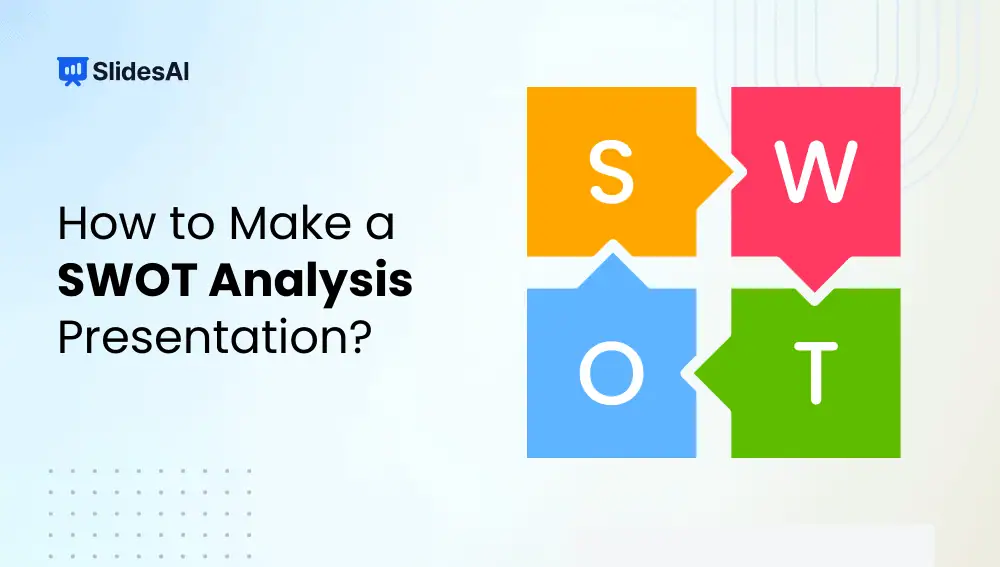
How to Make a SWOT Analysis Presentation?
A SWOT analysis is a strategic framework used to evaluate “Strengths, Weaknesses, Opportunities, and Threats” related to a business, project, product, or idea. Strengths and weaknesses focus on internal factors you can control, while opportunities and threats come from external conditions such as market trends or competition.
-
Best Science Topics for Students and Professionals
Science touches everyday life more than most people realize. In fact, 72% of U.S. adults say science benefits them personally, from healthcare advances to modern technology. As a result, science communication has become a critical skill across classrooms, laboratories, and workplaces. Yet many presenters struggle with one core challenge: choosing science topics for presentation that…
-

How to Create Presentation Script Using AI?
Presentations are more than just slides. They are your story, your ideas, and your chance to interact with an audience. However, presentations run smoothly if you have a well-written script that keeps the audience focused. Thanks to AI, generating professional presentation scripts has become effortless. Whether it’s a business pitch, a class lecture, or a…
-
What to Put in an ‘About Me’ Presentation?
An “About Me” presentation is your chance to introduce yourself in a confident, engaging, and memorable way. Whether it’s for a school project, college activity, or your first day at work, this presentation helps people get to know who you are beyond just your name. It’s a simple yet powerful way to share your background,…
-

How to Format Text in Google Slides? 3 Methods
Learn more about how to format text in Google slides using different methods like using Paint Format Tool, Format Options, and other basic formatting techniques.
-

How to Record PowerPoint Presentation with Audio?
Want to turn your PowerPoint slides into a video with your voice and camera included? PowerPoint has a built-in recording feature that lets you do just that. You can narrate your slides, add notes or drawings, and even include a webcam video to make your presentation more engaging. Once you’re done, you can save the…