Mindblown: a blog about philosophy.
-
125+ Impromptu Presentation Topics for Students, Professionals, & More
You’ve got 60 seconds to think and 2 minutes to speak. Your name is called, the room is quiet, and you need to say something clear, confident, and relevant right now. That moment defines impromptu presentations. Impromptu presentations are short, unplanned talks where structure matters more than polish, and clarity matters more than content volume.…
-
30 Best Fonts for Presentations for Modern, Clean Slides
Key Takeaways The right font defines how your audience reads, feels, and connects with your presentation. Sans-serif fonts like Arial, Roboto, and Open Sans offer clarity and modern appeal. Serif fonts such as Georgia and Lora add elegance and professionalism to formal decks. Use bold, high-contrast fonts for headings and simple, legible fonts for body…
-
How to Make a Video Presentation Without Overthinking it?
Key Takeaways A good video presentation doesn’t need to be flawless. If viewers understand your message without replaying it, you’ve already succeeded. Video presentations combine visuals and voice for better understanding. By bringing together slides, screen recordings, visuals, and narration, video presentations make ideas easier to follow than static decks. Different goals need different video…
-
How to Create a Business Proposal Presentation?
Every business proposal carries more than just facts and numbers. Behind the slides is someone with an idea they truly believe in, hoping others will believe in it too. Whether you’re trying to land your first client, pitch a bold new project, or secure funding for something that matters to you, your presentation becomes a…
-
200+ Persuasive Presentation Topics, Examples & Structure
Creating a persuasive presentation can be challenging. Research shows that most audiences prefer talks lasting not more than 10-15 minutes, and 35% of millennials engage only with a compelling story. Therefore, choosing the right persuasive presentation topics is the first step towards truly connecting with your audience. This guide shows you how to choose good…
-
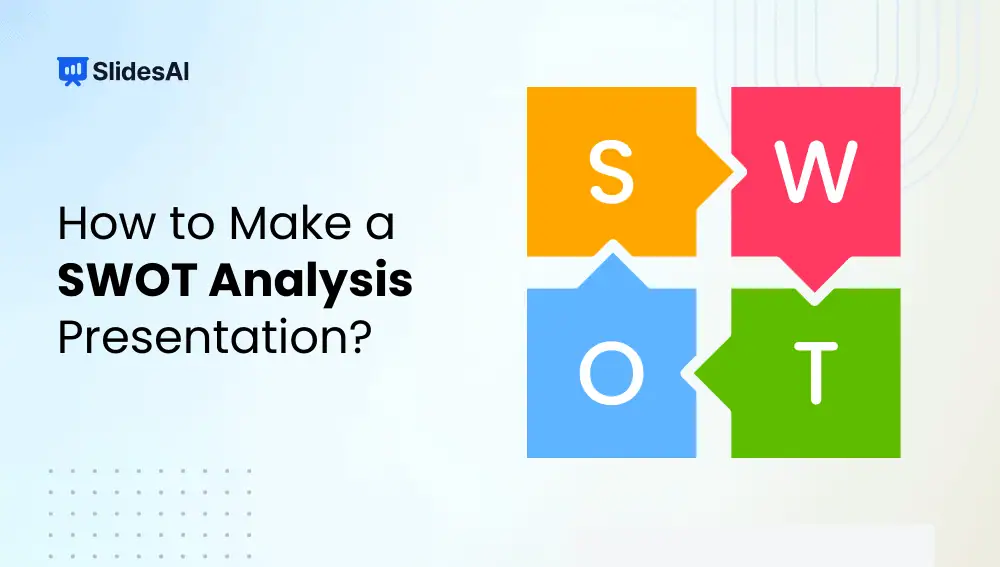
How to Make a SWOT Analysis Presentation?
A SWOT analysis is a strategic framework used to evaluate “Strengths, Weaknesses, Opportunities, and Threats” related to a business, project, product, or idea. Strengths and weaknesses focus on internal factors you can control, while opportunities and threats come from external conditions such as market trends or competition.
-
Best Science Topics for Students and Professionals
Science touches everyday life more than most people realize. In fact, 72% of U.S. adults say science benefits them personally, from healthcare advances to modern technology. As a result, science communication has become a critical skill across classrooms, laboratories, and workplaces. Yet many presenters struggle with one core challenge: choosing science topics for presentation that…
-

10 Minute Presentation Ideas: Best Topics, Examples & Tips
Key Takeaways A 10-minute presentation works best when you focus on one clear idea and support it with simple examples or visuals. Choose topics you understand or genuinely enjoy, because your interest shows in the delivery. Most 10-minute presentations work well with 7 to 12 slides, each covering a single point. Strong visuals, minimal text,…
-
How to Choose the Best PowerPoint Slide Size for Every Presentation
Getting your PowerPoint slide size right is one of the easiest ways to make your presentation look sharp, professional, and easy to follow. The right dimensions ensure your visuals display perfectly, whether on a big screen, a laptop, or in print, without stretching, cropping, or distortion. In this guide, you’ll learn everything about PowerPoint slide…
-

How to Change Slide Size in PowerPoint?
Sometimes, when you often create presentations, you might find yourself in a situation where you need to prepare your slides on one device but present them on another. This can cause your slides to look different depending on the device. It’s a good idea to learn how to adjust the slide size or aspect ratio…
Got any book recommendations?